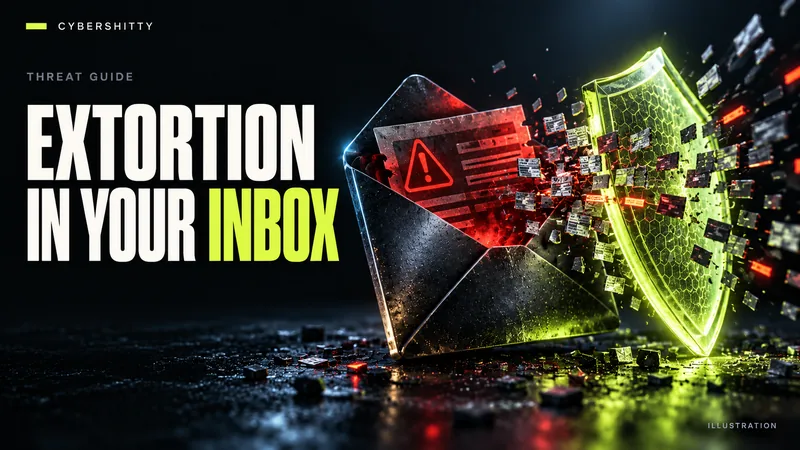
AI-generated editorial illustration by CyberShitty. Not a photograph or a document from the organisations named.
Emails signed "ShinyHunters" range from real corporate data-theft extortion to copycat sextortion scams built on leaked addresses. Here is how to tell them apart, why you should not pay, and where to report.
01 / What these emails are
ShinyHunters is a criminal group the FBI describes as specialising in large-scale data breaches and extortion. In a May 2026 public service announcement, the FBI said the group steals customer records, sends extortion emails, harasses people with threatening texts and calls, and has used swatting. The same notice warned that the group may exaggerate what it holds or falsely claim to have compromising photos or videos.
Much of the group's recent activity has targeted companies, not individuals. Google's threat intelligence team reported in January 2026 that ShinyHunters-branded operations were using phone calls impersonating IT staff to steal single sign-on logins and MFA codes, then taking data from cloud apps such as Salesforce, Microsoft 365 and Okta-connected services. An FBI alert from September 2025 said some victims of Salesforce data theft later received extortion emails claiming to be from ShinyHunters, sometimes months after the break-in.
02 / Real extortion or copycat scam?
If you are a private individual, the message in your inbox is most likely a copycat. BleepingComputer reported that since April 2026, scammers have taken email addresses from data that ShinyHunters leaked and sent sextortion emails in the group's name, demanding $2,000 in Bitcoin within 48 hours. ShinyHunters denied sending them, and Malwarebytes found no malware, recording or evidence behind the versions it examined.
Signs you are looking at a mass-mailed scam:
- It claims your camera or device was hacked but offers no specific proof.
- It quotes an old password or your email address, which proves only that your data appeared in a leak.
- It sets a short deadline and asks for cryptocurrency.
- It names a company you once used that has had a publicised breach.
Knowing your email address is not the same as having access to your device.
Businesses are different: an extortion email sent to executives, with samples of genuine internal data, should be treated as a possible real incident (see section 07).
03 / Do not pay, do not reply
The FBI's advice is direct: do not send payment or respond to the demands. Replying confirms your address is read by a real person and can invite more messages. Paying gives you no guarantee that data will be deleted or that threats will stop.
- Do not click links or open attachments in the email.
- Do not call or message any number, Tox ID or chat handle it lists.
- Keep a copy of the message (a screenshot and the full email headers) for your report, then move it out of your inbox.
- If the message frightens you, talk to someone you trust. Threats like this are designed to make you act alone and fast.
04 / Verify with the company directly
If the email mentions a breach at a company you deal with, check that company's own website, app or official social accounts for a breach notice. The FBI recommends verifying urgent or unusual requests through a separate communication method you already trust. Never use contact details supplied in the threatening message.
You can also look up your address on Have I Been Pwned, which lists many known breaches. A match tells you your data was exposed somewhere; it does not mean the sender has anything more.
05 / Report it
- United States: file a report with the FBI's Internet Crime Complaint Center at ic3.gov. The FBI asks for usernames, email addresses, dates, times and the platforms used.
- United Kingdom: report to Report Fraud, the City of London Police service that replaced Action Fraud in December 2025.
- India: file a complaint on the National Cyber Crime Reporting Portal at cybercrime.gov.in. If you have already lost money, call the 1930 helpline, which the government says can help freeze fraudulent transactions where possible.
- Also mark the email as spam or phishing in your mail app.
06 / Protect your accounts
- If the email shows a password you still use, change it now, and change it on every other account that shares it.
- Turn on multi-factor authentication. Google's threat researchers note that passkeys and FIDO2 security keys resist the phone-based social engineering this group uses in a way SMS or push codes do not.
- Contact your bank or card provider if any financial details may be involved, and ask about fraud alerts.
- Be wary of follow-up calls or texts that reference the breach; the FBI warns the group uses real stolen data to make phishing more convincing.
07 / If you run a business
A demand that includes real samples of your data should trigger your incident response plan, not a reply. The FTC's breach guidance for businesses advises stopping further data loss, bringing in independent forensic investigators, preserving evidence, taking advice from lawyers with privacy experience, and notifying law enforcement.
- Review connected apps and OAuth grants in Salesforce and other SaaS tools; the FBI said a malicious connected app can bypass MFA and password resets.
- Revoke unfamiliar tokens and reset credentials for affected users.
- Brief help-desk and call-centre staff that callers claiming to be IT support must be verified.
- Check your notification duties. In India, CERT-In's 2022 directions require listed incidents, including data breaches, to be reported within 6 hours of being noticed.
- Do not negotiate or pay without legal counsel and law enforcement involved.
Source log / 2026-0929-GS
- FBI IC3 — ShinyHunters: Cyber Criminal Group Attacks Learning Management System (15 May 2026) Primary
- FBI FLASH — Cyber Criminal Groups UNC6040 and UNC6395 Compromising Salesforce Instances for Data Theft and Extortion (12 Sep 2025) Primary
- Google Cloud / GTIG — Tracking the Expansion of ShinyHunters-Branded SaaS Data Theft (31 Jan 2026) Primary
- BleepingComputer — ShinyHunters data leaks fuel $2,000 sextortion email scam (2026) Secondary
- Malwarebytes — Sextortion scammers are exploiting ShinyHunters data leaks (27 Jul 2026) Secondary
- techUK — Report Fraud service replaces Action Fraud as UK's official fraud reporting portal (Dec 2025) Secondary
- PIB — Curbing Cyber Frauds in Digital India (8 Oct 2025) Primary
- FTC — Data Breach Response: A Guide for Business Primary
- CERT-In — Directions under section 70B(6) of the IT Act (28 Apr 2022) Primary