Guide
What to do after a data breach notice, and how to check if your data was exposed
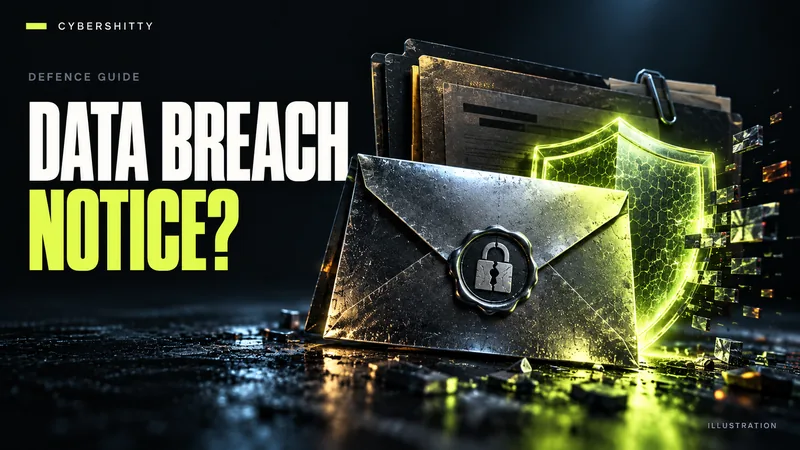
AI-generated editorial illustration by CyberShitty. Not a photograph or a document from the organisations named.
A breach letter or email is a prompt to act, not panic. Confirm it is genuine, work out what was exposed, and take the matching steps, from password changes to a credit freeze, while watching for the scams that follow.
01 / First, check the notice is real
Breach notices prompt people to act quickly, which makes them easy for scammers to imitate. The UK's NCSC advises contacting the organisation through its official website or social media channels, not through links in the message, to confirm whether a breach happened and how it affects you. The US FTC gives the same advice for any unexpected message: contact the company using a phone number, email or website you know is real.
- Do not click links or open attachments in the notice until you have confirmed it.
- Look for the same breach notice on the company's own site or newsroom.
- A genuine notice should not ask for your full password, PIN or one-time code.
02 / How to know if your information was in a data breach
Besides notices from the company, you can check your email address on Have I Been Pwned, a free service the NCSC points people to. Some breaches it classes as sensitive can only be viewed after you verify you own the address. HIBP itself warns that a clean result is not proof you were unaffected: many breaches are never detected or never made public.
Also watch for direct evidence: login alerts you did not trigger, password-reset emails, changed security settings, or messages sent from your accounts.
03 / What the exposed data means for you
The FTC's IdentityTheft.gov checklist ties each action to the type of data lost:
- Passwords or logins: change the password, and the username if you can. Change it anywhere else you reused it. If you are locked out, contact the company to recover or close the account.
- Bank or card details: ask your bank or card issuer to replace the card or account, and check statements for charges you do not recognise.
- Government ID numbers (such as a US Social Security number): accept any free credit monitoring the company offers, review your credit reports, and consider a credit freeze. The FTC also suggests filing taxes early, before a fraudster can use your number.
- Email, phone or address only: expect more targeted phishing (see section 05).
Turn on multi-factor authentication for important accounts, and use passkeys where offered, as the NCSC recommends.
04 / Credit freezes and alerts by country
United States. According to the FTC, a credit freeze is free to place and lift, and stops anyone opening new credit in your name while it is in place. You must contact each of Equifax, Experian and TransUnion separately. A fraud alert is a lighter option: it is free, lasts a year, and you only need to contact one bureau, which must tell the other two. Free credit reports are available at annualcreditreport.com.
India. An RBI direction requires each credit information company, including TransUnion CIBIL, to give you one free full credit report with score each calendar year. Check it for loans or cards you did not open, and turn on SMS and email alerts with your bank. If money has already been taken, call the 1930 cybercrime helpline, which the government says can help freeze fraudulent transactions where possible, and file a complaint at cybercrime.gov.in.
United Kingdom. Report fraud or financial loss to Report Fraud, the service that replaced Action Fraud in December 2025, or to your local police, as the NCSC advises.
05 / Watch for the phishing that follows
The NCSC warns that suspicious messages often arrive after a breach becomes public, including official-sounding requests to reset passwords and urgent language meant to rush you. Scammers can quote your real name, address or order history from the leaked data to seem credible.
A message that knows your details is not proof it comes from the company.
- Treat unexpected calls, texts and emails about the breach with suspicion; hang up and call the company on a number you already have.
- In the UK, forward suspicious emails to the NCSC's Suspicious Email Reporting Service and texts to 7726.
- In the US, report phishing at ReportFraud.ftc.gov.
06 / Class actions and settlement notices
Large breaches sometimes lead to lawsuits and settlements, and you may later receive a notice saying you can file a claim. This guide does not offer legal advice on whether to take part. If you get such a notice, verify it independently: look up the case and the court-approved settlement administrator yourself rather than using links in the message. The FTC warns that scammers impersonate it, and says its staff will never tell you to move your money to protect it. Be wary of any settlement notice that asks for payment or sensitive details up front.
07 / Your checklist
- Confirm the notice through the company's official channels.
- Check Have I Been Pwned and note what data was exposed.
- Change exposed and reused passwords; turn on MFA or passkeys.
- Contact your bank if financial data was involved.
- Freeze credit (US) or pull your free credit report (India, US).
- Report financial loss: IC3 or ReportFraud.ftc.gov (US), Report Fraud (UK), 1930 or cybercrime.gov.in (India).
- Stay alert for follow-up phishing for months, not days.
Source log / 2026-0929-GB
- NCSC — Data breaches: guidance for individuals and families Primary
- FTC / IdentityTheft.gov — Data Breaches: What to know, What to do Primary
- FTC — What to know about credit freezes and fraud alerts Primary
- FTC — Protect yourself from phishing scams (Apr 2025) Primary
- FTC — FTC Impersonators Primary
- Have I Been Pwned — FAQs Primary
- RBI — Free Annual Credit Report to Individuals (1 Sep 2016) Primary
- PIB — Curbing Cyber Frauds in Digital India (8 Oct 2025) Primary
- techUK — Report Fraud service replaces Action Fraud as UK's official fraud reporting portal (Dec 2025) Secondary