Guide
Income tax refund scam SMS: how to spot fake messages and check your real status
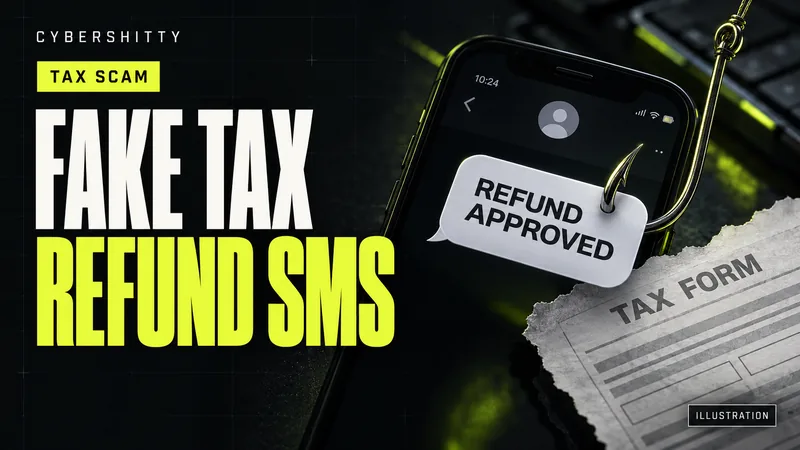
AI-generated editorial illustration by CyberShitty. Not a photograph or a document from the organisations named.
Messages saying your ITR refund is approved, pending or stuck, with a link to 'update bank details', are a classic trap. Check your refund only on incometax.gov.in, never share OTPs or bank details, and report fakes.
01 / Why refund season brings fake messages
Once you file your return, you wait for the refund. Scammers use that wait. In February 2026 the Income Tax Department warned that fraudsters message people expecting refunds, claiming their return is delayed, incomplete or stuck.
The department said these messages use alarming words such as "refund pending", "urgent action required" or "penalty if not verified", with a link. The link leads to a fake site built to collect PAN, bank details and OTPs.
A real refund needs nothing from you by SMS. You check it by logging in yourself.
02 / What the fake messages look like
- "Refund approved, update your bank account" SMS or WhatsApp with a link to a lookalike e-filing page.
- Emails asking for "manual verification". In July 2025 PIB's Fact Check Unit flagged a fake email, claiming to be from the department, that asked taxpayers to verify documents or click links to receive a refund.
- APK files. In 2021 CERT-In, the national cyber security agency, warned of Android malware posing as an income tax refund. Victims got an SMS link to a site resembling the department's, then were asked to install an APK. It asked for PAN, Aadhaar, card number, CVV and PIN, and sent them to the attackers. See how APK malware spreads.
03 / What the Income Tax Department officially says
- In a 2016 CBDT press release, the department said it "NEVER asks for your PIN numbers, passwords or similar access information" for cards, banks or other financial accounts through email, and asked taxpayers not to respond to such emails.
- In February 2026 it told taxpayers never to share OTPs or bank details, and to verify communications only on the official portal, incometax.gov.in.
- Its checks for suspicious email: look closely for misspelt domain names; don't open attachments; don't click links; and if you clicked by mistake, don't enter bank or card details.
04 / How to check your real refund status
- Type incometax.gov.in yourself and log in with your user ID and password.
- Go to e-File > Income Tax Returns > View Filed Returns.
- Pick the assessment year and click View Details to see the refund status and your return's life cycle.
The department's manual says processing starts only after you e-verify your return, and a refund usually takes 4–5 weeks. If it fails, common reasons are an inoperative PAN not linked with Aadhaar, a bank account that isn't pre-validated, a name mismatch with PAN, a wrong IFSC or a closed account.
To fix bank details, use My Bank Account after logging in. There you add and pre-validate an account and nominate it for refunds. Queries go to the department's helpdesk: 1800 103 0025 or 1800 419 0025, 8 am to 8 pm, Monday to Friday.
05 / How to report a fake refund message
- Email or fake website: forward it, or the URL, to webmanager@incometax.gov.in and copy incident@cert-in.org.in, as the department advised in February 2026.
- SMS, call or WhatsApp: report it on Chakshu. Unsure? Try our scam check.
- Don't reply, don't forward it to friends, and delete it once reported.
06 / Clicked, paid or shared details?
- Money gone: call 1930 and file under Financial Fraud on cybercrime.gov.in. See our 1930 guide.
- Bank or card details shared: call your bank's official number to block cards and UPI. See bank fraud helplines.
- Installed an APK: uninstall it, then change passwords from another device.
- E-filing account misused: the department asks you to report to the police or cyber cell first, for example on cybercrime.gov.in. Then email your complaint, with the FIR copy, from your registered primary email ID.
07 / Your refund-season checklist
- Check refunds only by logging in at incometax.gov.in.
- Ignore "refund approved" or "refund pending" links.
- Never share an OTP, PIN, password or card details.
- Change bank details only under My Bank Account after login.
- Never install an APK sent in a message.
- Forward fake emails to webmanager@incometax.gov.in and incident@cert-in.org.in.
- Lost money: 1930 and cybercrime.gov.in, then your bank.
Source log / 2026-0929-IT
- CBDT (Income Tax Department) — Press release: steps taken to safeguard taxpayers from phishing email (5 Feb 2016) Primary
- Income Tax Department e-filing portal — Refund Status User Manual Primary
- Income Tax Department e-filing portal — My Bank Account user manual Primary
- Income Tax Department e-filing portal — Contact Us (helpdesk numbers) Primary
- Income Tax Department e-filing portal — E-filing Account Misuse Primary
- PIB — Curbing Cyber Frauds in Digital India (8 Oct 2025) Primary
- Business Today — Income Tax Dept warns of fake refund SMS scams targeting taxpayers awaiting payouts (20 Feb 2026) Secondary
- Free Press Journal — Fake Income Tax emails target taxpayers with refund scams, warns PIB Fact Check (23 Jul 2025) Secondary
- The Tribune — Trojan posing as I-T refund found attacking Android users, says CERT-In (23 Sep 2021) Secondary