Guide
Electricity disconnection SMS scam: how to spot the fake 'power cut tonight' message
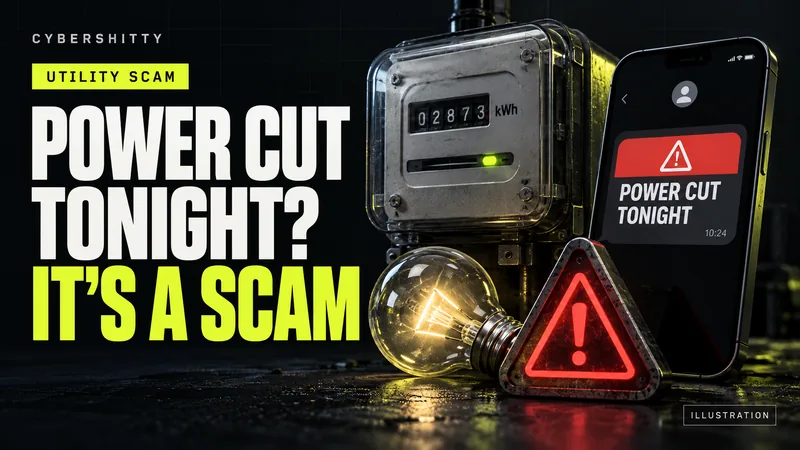
AI-generated editorial illustration by CyberShitty. Not a photograph or a document from the organisations named.
A text says your power will be cut tonight unless you call an 'officer' or pay through a link. Real discoms send bill SMS from official sender IDs and must give written notice. Check your bill only in the official app or website.
01 / How the scam works
The message arrives by SMS or WhatsApp. It says your electricity will be disconnected tonight because last month's bill was not paid or not "updated". It gives a mobile number to call, or a link to pay.
Delhi's power discoms described the pattern in July 2024. The messages warn of immediate disconnection, may carry official-looking logos, and push you to click a link or call a number. The links lead to fake websites that steal card and bank details. The numbers connect you to people posing as discom staff who ask for your card details, CVV or OTP. Discom officials said a Delhi doctor lost Rs 6 lakh after clicking one such link.
Some versions go further. In June 2024 the Department of Telecommunications (DoT) said citizens had reported fraudsters using SMS and WhatsApp messages about electricity KYC updates, together with malicious APK files, to take control of victims' phones.
A bill message that asks you to call a personal mobile number, open a link or install an app is not from your discom.
02 / How real disconnection works
- Written notice first. Section 56 of the Electricity Act, 2003 lets a licensee cut supply for unpaid dues only after giving not less than 15 clear days' notice in writing. A text saying "tonight" does not fit that rule.
- Official sender IDs, not phone numbers. Maharashtra's discom, MSEDCL, says it sends SMS only from sender IDs such as VM-MSEDCL or VK-MSEDCL, and never from a personal mobile number. It also says it does not ask you to contact any person.
- No OTP, card or CVV requests. BSES, which supplies power in Delhi, says its officials never ask for bank or card details, CVV or OTP.
- No screen sharing. MSEDCL tells consumers never to share their mobile or desktop screen, or an OTP, while paying online.
If you are unsure what your own discom's genuine messages look like, compare with an old bill SMS or check its official website.
03 / How to check and pay your bill safely
- Don't call the number in the message. Find your discom's helpline on its official website or printed bill. MSEDCL, for example, lists 1912 and toll-free numbers on its site.
- Check your account yourself. Open your discom's official app, or type its website address into the browser. If there is no overdue amount, the message was fake.
- Pay only through channels you trust. That means the discom's own app or website, or your bank or UPI app's bill-payment section. Electricity bills are covered by the Bharat Bill Payment System (BBPS), which RBI approved NPCI to run as the central unit in 2015. You pick your discom from the biller list and enter your consumer number. No stranger is involved.
- Never install an app to pay a bill. RBI warns that unknown apps may access your confidential data secretly. See how APK malware spreads.
- Not sure about a message? Paste it into our scam check tool.
04 / Paid or installed an app? Act now
- Lost money: call 1930 at once and file a complaint at cybercrime.gov.in. Our guide explains how to report on 1930 and the portal.
- Call your bank. Use the number on your card or the bank's official website, or our list of bank fraud helplines. RBI advises that if you see a debit you did not make, tell your bank and block all modes of debit, including UPI.
- Installed an app or shared your screen: end the call, turn off mobile data and Wi-Fi, and uninstall the app. Then change your banking and UPI PINs and passwords, ideally from another device. Tell your bank so it can watch for fraud.
- Shared card details or an OTP but no money has gone: block the card in your bank app and ask for a new one.
05 / Report the message
Even if you did not fall for it, reporting helps. DoT's Chakshu facility on the Sanchar Saathi portal takes reports of suspected fraud calls, SMS and WhatsApp messages, and lists electricity KYC updates as an example. Reports should be made within 30 days of receiving the message. Chakshu is for reporting, not for getting money back.
Reports can lead to action. In June 2024 DoT said Chakshu reports about the electricity KYC scam led it to order IMEI-based blocking of 392 handsets across India and re-verification of 31,740 linked mobile connections. Our guide shows how to report on Chakshu.
06 / Your checklist
- Real disconnection needs 15 clear days' written notice.
- Check the sender: an official ID, not a 10-digit mobile number.
- Don't call numbers or click links in bill messages.
- Check dues only in your discom's official app or typed website.
- Pay only there, or through your bank or UPI app's bill-payment section.
- Never install an app or share your screen to pay a bill.
- Never share an OTP, CVV or card number.
- Lost money: 1930 and cybercrime.gov.in, then your bank.
- Report the message on Chakshu within 30 days.
Source log / 2026-0929-EB
- PIB (DoT) — DoT takes action against Electricity KYC Update Scam (17 Jun 2024) Primary
- CERC — The Electricity Act, 2003 (as amended), Section 56 Primary
- MSEDCL (Mahavitaran) — Caution! Ignore Fake/Fraud SMS (website notice) Primary
- West Bengal Police Cyber Crime Wing — Fake SMSs related to unpaid Electricity Bill to dupe citizens Primary
- RBI — Consumer Awareness: Cyber Threats and Frauds (28 Jan 2022) Primary
- RBI — RBI grants in-principle approval to NPCI to function as the central unit for BBPS (24 Nov 2015) Primary
- Sanchar Saathi (DoT) — Chakshu: Report suspected fraud communication Primary
- Business Standard (PTI) — Electricity bill scam: Delhi discoms urge consumers to follow safety tips (9 Jul 2024) Secondary