Guide
WhatsApp hacked? GhostPairing, fake ZIP files, a friend's code request, and how to get it back
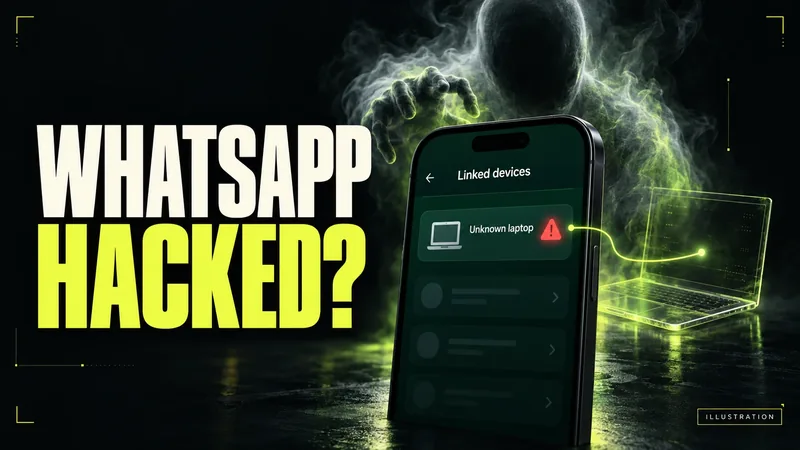
AI-generated editorial illustration by CyberShitty. Not a photograph or a document from the organisations named.
Three tricks used to take over WhatsApp accounts in India: a 'check this photo' link that adds a hidden device, a 'Statement of Account' ZIP that hijacks WhatsApp Web, and a friend asking for your code. How to spot each, remove the intruder and warn contacts.
01 / The short answer
Think someone has got into your WhatsApp? On your phone, open WhatsApp's Linked devices list now and log out of every device you do not recognise. If WhatsApp has logged you out, re-register your number with the 6-digit code WhatsApp sends you: WhatsApp says that logs every other device out. Then warn your contacts, by a call or SMS, not to open files or send money in your name.
If you did not link it, log it out.
None of the three tricks below needs your password, and the messages often come from people you know. That is why they work, and why falling for one says nothing about how careful you are. Money gone? Call 1930 now. Section 08 has the steps.
02 / Route 1: 'Hi, check this photo' (GhostPairing)
CERT-In, India's national cyber security agency, rated this campaign High severity in an advisory of 19 December 2025. As CERT-In describes it:
- a message such as 'Hi, check this photo' arrives from a contact you trust, with a Facebook-style link preview;
- the link opens a fake Facebook viewer that asks you to 'verify', and gets you to enter your phone number;
- that abuses WhatsApp's genuine 'link device via phone number' feature: a pairing code that looks authentic adds the attacker's browser to your account as a hidden, trusted device, with no password theft and no SIM swap.
Business Standard's explainer adds that the victim is prompted to enter the pairing code in their own WhatsApp app, that no OTP is needed, and that the phone keeps working normally, so nothing looks wrong. The attacker can then, CERT-In says, read messages that sync to their device, see photos, videos and voice notes, and message your contacts and groups as you, which is how it spreads.
The real feature, and the trick. In the genuine flow, WhatsApp's help page says, you start on the computer you want to link, its screen shows an eight-character code, and your phone shows that device's name and location before you confirm. So enter a linking code only when you are linking your own computer, in front of you. If a website, a 'photo viewer' or a person asks you to, stop. And never enter your phone number on a site that claims to be WhatsApp or Facebook, CERT-In advises.
03 / Route 2: a 'Statement of Account' ZIP on a Windows PC
This route needs a Windows computer with WhatsApp Web open. The Indian Cyber Crime Coordination Centre (I4C) of the Home Ministry described it on 7 August 2026:
- a .zip file arrives on WhatsApp, by SMS or by email, named for example 'Statement of Account.zip' (often with a date in front), 'RBI.zip' or 'MCA.zip'. It poses as a routine statement or an urgent notice from RBI or the Ministry of Corporate Affairs, with a short deadline. In many cases, emails are also sent in the name of the Income Tax Department;
- opened on a Windows computer, the program inside installs a Trojan that compromises the computer and hijacks the WhatsApp Web session already open;
- your account then sends the same file to all your contacts and groups, often asking them to pass it to their 'company finance manager for verification';
- in the 'Boss Scam' stage, fraudsters use a senior executive's account, or save their own number under the boss's name, to order urgent transfers to mule accounts.
I4C says chartered accountants, company directors, CFOs and finance staff are the prime targets, and that cases were reported from Delhi, Gujarat, Maharashtra, Rajasthan and other states. 'Regulators such as the RBI never distribute software updates, security fixes or account statements through WhatsApp attachments,' it says.
If you opened one, I4C's advice is to log out of all linked devices at once, tell your contacts not to open any file from your account, and get the computer scanned with an updated antivirus. Companies should confirm any urgent transfer request by a direct call or in person.
04 / The I4CMHA-G SMS is a real I4C alert
If you get an SMS from the sender I4CMHA-G, do not ignore it. I4C says it is sending alerts to affected citizens from this header, and asks people to act promptly on the advice in them. It says it is warning victims and potential victims so they can take steps such as logging out of linked devices and securing their accounts. In the 30 days to 7 August 2026, it alerted more than 58,000 potential victims this way. It says more than 10,000 people have been protected from the campaign so far through coordinated measures, including alerting victims, sharing threat signals with CERT-In, Microsoft and Indian antivirus companies, and geo-blocking the attackers' command servers through the government's Sahyog portal.
The release does not give the wording of the alerts. Check the sender name, treat an 'I4C' message from an ordinary mobile number or a WhatsApp account with suspicion, and act by opening WhatsApp yourself, not through a link.
05 / Route 3: a friend asks for your code
A friend messages you: they sent a 6-digit code to your number by mistake, can you forward it? The Quint reported in March 2025 that a chain of takeovers like this came to light when Delhi University staff were targeted: many who forwarded the code had their account taken over, and their contacts were targeted next.
The code is WhatsApp's registration code for your number. Whoever enters it sets up your WhatsApp on their phone, and the 'friend' has probably lost their own account already. WhatsApp says never to share your registration code, 'not even friends or family'. If a code arrives that you did not ask for, keep it to yourself and turn on two-step verification. Call the friend to check, as The Quint advises, on the number you already have.
A related linked-device trap is sold as easy money. In October 2025, I4C warned about Facebook and Instagram ads that promise you can 'earn cash automatically' by linking your WhatsApp. You are told to scan a QR code with WhatsApp, which gives the scammers linked-device access, and your account is in effect rented out as a 'mule WhatsApp account' that may be used for fraud. I4C warns this can lead to legal consequences, including arrest. How mule accounts work.
Practise on fictional examples in our Scam Lab: a friend asks for your code and rent your messaging account.
06 / Get your account back, step by step
- Log out of devices you do not recognise. Android: three-dot menu, Linked devices, tap a device, Log out. iPhone: Settings, Linked devices, tap the device, Log out. Not sure? Log out of all of them and link your own computer again later.
- Locked out? Re-register. Tap Log back in, enter your number and the 6-digit code sent by SMS or phone call. WhatsApp says this logs out every other device, and that changing a password does not remove an intruder. Asked for a two-step verification PIN you never set? The intruder may have set it: WhatsApp says to wait 7 days and try again, and that whoever is using your account is logged out once you enter the SMS code anyway. You need the SIM for that number. If it has suddenly stopped working, call your operator: that can be a SIM swap.
- Recover before you report. WhatsApp warns that if you report the compromised account you are trying to recover, it might ban it, and you could lose access.
- Turn on two-step verification in Settings, Account, Two-step verification. WhatsApp says it is upgrading the 6-digit PIN to a password, and you can add an email address. It protects an account you still control; it does not remove someone already in, so keep checking Linked devices.
- Check call forwarding. WhatsApp can send its code by phone call. In January 2024, DoT warned that callers posing as telecom staff were getting people to dial *401# and a number, which forwarded all their calls to the fraudster, and said operators never ask customers to dial *401#. TelecomTalk reported on 30 March 2024 that DoT had ordered operators to stop USSD call forwarding from 15 April 2024, 'till further notice'. DoT's advice still applies: check call forwarding in your phone's settings and switch it off if you did not set it.
- Warn your contacts, as WhatsApp advises, because the intruder can impersonate you in chats and groups. Ask them not to open files from your account and to call you before sending money. WhatsApp says someone who re-registers your account on a new phone cannot read your past chats; a linked device, CERT-In says, can read messages that sync to it.
- Opened a ZIP on a PC? Have the computer scanned before you use WhatsApp Web on it again. When you do, untick 'Stay logged in on this browser', and WhatsApp ends the session when you close the browser.
07 / What we confirmed, and what we could not
Confirmed (official sources): GhostPairing and CERT-In's advice (CERT-In, CIAD-2025-0055); the ZIP files, the 'Boss Scam', the I4CMHA-G alerts and I4C's figures (PIB, 7 August 2026); the account-renting ads (I4C advisory, 15 October 2025); how linking, two-step verification and recovery work (WhatsApp's help pages, read on 2 October 2026); DoT's *401# warning (PIB, January 2024). Reported (media): that MeitY issued the GhostPairing advisory (Akashvani); the pairing-code step (Business Standard); the ZIP campaign, also covered by The Tribune; the Delhi University chain (The Quint); the 2024 stop to USSD call forwarding (TelecomTalk). The DoT order's link on dot.gov.in returned an error, and we could not confirm whether it still applies. Claimed (by scam messages): that a photo, a statement or a regulator's notice is waiting for you, or that a friend sent you a code by mistake. Not available: I4C's 22 June 2026 advisory, which the release says is on cybercrime.gov.in but which we could not find there; the wording of the I4CMHA-G alerts; an official count of GhostPairing victims.
08 / Hacked, or money gone? What to do now
- Money has gone, from you or from a contact who trusted your account: call 1930 now, then the bank on its official number, then complete the complaint on cybercrime.gov.in. Our lost-money checklist and UPI fraud guide cover the first hour.
- Account hijacked, no money lost: follow section 06, then report it on cybercrime.gov.in, which takes complaints about hacked accounts (how to report). Still locked out after 7 days? Use WhatsApp's support form, which I4C points to for hacked accounts.
- Got the link, the code request or the ZIP, and did not fall for it: first call the sender on the number you already have, because their own account may have been taken over. Then report the message on Chakshu, on the government's Sanchar Saathi portal, within 30 days, and say in the description that the sender's account seems to be hijacked (how to report). Chakshu takes calls, SMS and WhatsApp messages, not email: report a ZIP that came by email on cybercrime.gov.in, as I4C advises for messages like these, and at work tell your IT team.
- Opened a ZIP on a work or home PC: I4C says the Trojan compromises the computer. To be safe, we suggest treating passwords used on it as exposed too: get the computer cleaned, then change them from another device (what to do after a malware infection). At work, tell your IT team.
- A 'friend' or 'boss' asks for money on WhatsApp: call them on the number you already have before you pay. The same rule beats AI voice-clone calls.
- Your SIM has suddenly lost signal: call your operator, and check the SIM cards in your name. Rules to tie WhatsApp to the SIM in your phone are still being rolled out: where they stand.
- Ignore anyone who offers to 'recover' your account or money for a fee: what recovery really looks like.
Source log / 2026-1002-WH
- CERT-In — Advisory CIAD-2025-0055: WhatsApp Account takeover campaign (GhostPairing), severity High (19 Dec 2025) Primary
- PIB (MHA) — I4C cautions corporates and finance professionals against 'Boss Scam': WhatsApp account takeover through malicious 'Statement of Account', 'MCA' and 'RBI' files (7 Aug 2026) Primary
- I4C (NCTAU) — WhatsApp Web Account Renting Scam – using Facebook & Instagram advertisements, TAU/ADV/005 (15 Oct 2025) Primary
- WhatsApp Help Center — How to recover a compromised account, accessed 2 Oct 2026 Primary
- WhatsApp Help Center — How to check devices linked to your account and unlink a device you don't recognize, accessed 2 Oct 2026 Primary
- WhatsApp Help Center — How to link a device with phone number, accessed 2 Oct 2026 Primary
- WhatsApp Help Center — How to manage two-step verification settings, accessed 2 Oct 2026 Primary
- PIB (Ministry of Communications) — DoT takes pro-active measures in preventing cyber frauds; advises citizens not to dial *401# followed by unknown mobile number (11 Jan 2024) Primary
- Akashvani News — MeitY issues advisory on GhostPairing cyber campaign targeting WhatsApp accounts (21 Dec 2025) Secondary
- Business Standard — CERT-In warns of 'GhostPairing' targeting Indian WhatsApp users: What is it (22 Dec 2025) Secondary
- The Tribune — 'Boss Scam': WhatsApp malware targeting finance professionals & firms, warns cyber crime centre (7 Aug 2026) Secondary
- The Quint (WebQoof) — Six-digit OTP code trap: how scammers hack your WhatsApp account (20 Mar 2025) Secondary
- TelecomTalk — DoT suspends call forwarding in India using USSD codes (30 Mar 2024) Secondary
- Sanchar Saathi (DoT) — Chakshu: Report suspected fraud communication Primary
- National Cyber Crime Reporting Portal Primary