Guide
Phone suddenly shows no service? What to do about SIM-swap and eSIM fraud in India
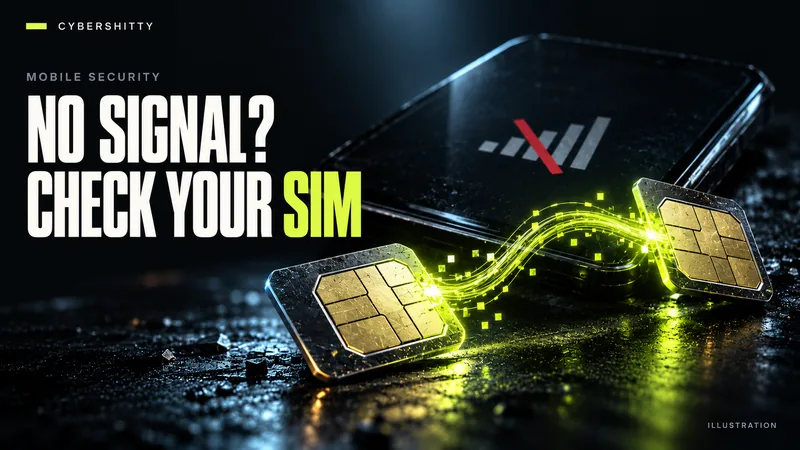
AI-generated editorial illustration by CyberShitty. Not a photograph or a document from the organisations named.
A caller offers to 'upgrade' you to an eSIM or 'reverify' KYC. Minutes later your number works on someone else's phone and your OTPs go with it. How to spot it, what to do in the first hour, and how to prevent it.
01 / How the scam works
Your mobile number is the key to most of your money. Banks, UPI apps and email services send one-time passwords (OTPs) to it. SIM-swap and eSIM fraud are about moving that number to a device the fraudster controls.
The approach is ordinary. A call, SMS or WhatsApp message claims to be from your telecom operator or bank. You are told your SIM will be blocked, your KYC needs reverifying, or you can 'upgrade to eSIM' for free. You are asked for personal details, a code that just arrived on your phone, or to tap a link.
If you comply, your physical SIM goes dead and your number starts working on the fraudster's eSIM. From then on, OTPs and bank alerts reach them, not you. That is enough to reset banking passwords and approve transfers. For the wider pattern, see our KYC, SIM swap and eSIM fraud explainer.
Your operator will not phone you out of the blue to move your number to an eSIM.
02 / What the authorities have said
The Indian Cybercrime Coordination Centre (I4C), under the Ministry of Home Affairs, issued an advisory on eSIM fraud that was reported on 1 September 2025. According to The Daily Jagran, I4C advised people not to click unsolicited eSIM activation links, to request eSIM conversion only through their operator's official channels, and to contact their bank and operator promptly if the phone suddenly stops receiving network signals. The same report cited one case in which ₹4 lakh was taken even though the victim had disabled ATM and UPI features.
In February 2026, I4C highlighted another case on its official X handle, India TV reported on 12 February 2026: a woman in Mumbai lost ₹11 lakh after callers posing as telecom customer care collected her details on the pretext of upgrading her SIM or converting it to an eSIM. The advice in that report: telecom operators do not call users unsolicited for SIM upgrades, and suspicious calls should be reported on Sanchar Saathi or to 1930.
There is no official national figure for losses to SIM-swap or eSIM fraud specifically.
03 / Warning signs
- Your phone suddenly shows 'No service' or 'Emergency calls only' where it normally works.
- An SMS says your SIM has been deactivated, replaced or 'upgraded'.
- You get an eSIM activation or conversion message you did not ask for.
- OTPs arrive for logins or payments you did not start.
- Your bank or email reports a change of registered email, phone or password.
- Someone on the phone asks you to read out a code, share an OTP or forward an SMS 'to confirm your identity'.
04 / What to do in the first hour
Assume the worst and move fast. Use another phone, or a family member's, since yours may no longer reach anyone.
- Block the SIM. Call your operator's official customer care from another phone, or walk into its own store with ID. Say your number may have been moved without your consent and ask them to block it and reissue your SIM to you.
- Freeze your money. Call your bank's official helpline. Ask them to block net banking, cards and UPI on your accounts. Banks must offer 24x7 reporting channels, according to RBI's customer liability rules.
- Call 1930 if money has moved. Then file a complaint under financial fraud on cybercrime.gov.in and keep the acknowledgement number. Our UPI fraud guide covers the 1930 process step by step.
- Secure your email. From a device you trust, change your email password and check recovery phone numbers and addresses. Email is often how bank passwords get reset.
- Check connections in your name. On Sanchar Saathi's 'Know Mobile Connections in Your Name' (TAFCOP), see every number registered on your ID and report ones you do not recognise.
- Report the call. Flag the call, SMS or WhatsApp message on Chakshu.
05 / How to prevent it
- Never share OTPs, codes or eSIM QR codes with anyone who calls you, whoever they claim to be.
- Start an eSIM only yourself, only through official channels. Airtel's eSIM page, for example, sends users to the Airtel app ('Upgrade to eSIM') or an Airtel store with ID proof. It also warns: do not share your EID (the phone's eSIM identifier) with anyone, as that 'may lead to unauthorised access to your mobile number'.
- Know the normal quiet period. Airtel says SMS, including OTPs, stay barred for 24 hours after a genuine eSIM switch. If you did not request a switch and your SMS stops, treat it as an alarm.
- Keep bank SMS and email alerts on. RBI requires banks to send SMS alerts for electronic transactions. Register an email too, so alerts still reach you if your number is taken.
- Hang up and call back. If a 'telecom' or 'bank' caller sounds urgent, end the call and dial the number printed on your card or the operator's official site.
- Check TAFCOP now and then, not just after a problem.
06 / Your checklist
- No signal for no reason? Call your operator and bank from another phone at once.
- Get the SIM blocked and reissued to you at an official store.
- Freeze net banking, cards and UPI.
- Call 1930 and file on cybercrime.gov.in if money has moved.
- Change your email password and review recovery details.
- Check Sanchar Saathi for connections in your name.
- Report the call or message on Chakshu.
- Never share OTPs, codes, EID or eSIM QR codes.
Source log / 2026-0929-GE
- The Daily Jagran — eSIM fraud rising in India, I4C issues warning: here's how to stay safe (1 Sep 2025) Secondary
- India TV — Mumbai woman loses Rs 11 lakh in minutes: how e-SIM fraud can empty your bank account (12 Feb 2026) Secondary
- Airtel — eSIM: how to get or upgrade to an Airtel eSIM Primary
- DoT Sanchar Saathi — citizen services (Chakshu, Know Mobile Connections in Your Name) Primary
- DoT Sanchar Saathi — Know Mobile Connections in Your Name (TAFCOP) Primary
- DoT Sanchar Saathi — Chakshu: report suspected fraud communication Primary
- PIB (MHA) — Indian Cyber Crime Coordination Centre, Lok Sabha reply (17 Mar 2026) Primary
- RBI — Customer Protection: Limiting Liability of Customers in Unauthorised Electronic Banking Transactions (6 Jul 2017) Primary
- National Cyber Crime Reporting Portal Primary