Guide
Installed an app from a link or ad? How Accessibility malware takes over phones, and what to do

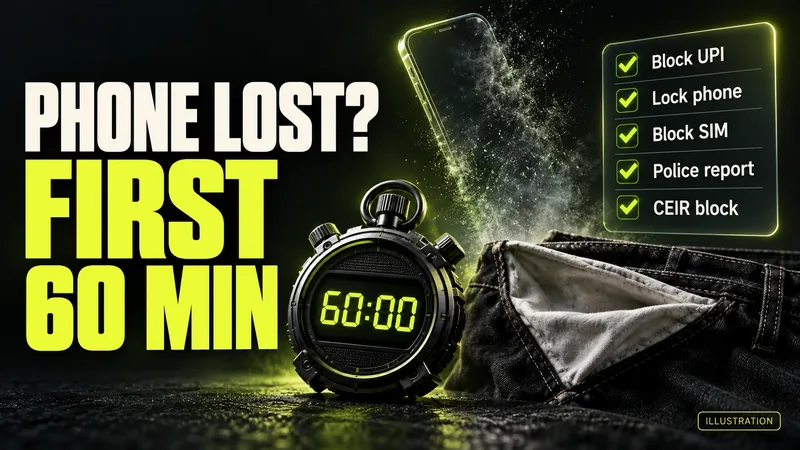
AI-generated editorial illustration by CyberShitty. Not a photograph or a document from the organisations named.
An app from an ad, a link or a WhatsApp 'wedding invitation' can take over your phone once you give it Accessibility access. I4C has warned about fake adult apps pushed through Facebook and Instagram ads. The first-hour steps, in order, and the signs to check.
01 / The short answer
Installed an app from a WhatsApp file, a website or an ad, and it asked for Accessibility access? Act as if someone else can now use your phone, because that is what the permission allows. From another phone, in this order: take your phone offline; if money has gone, call 1930 now; get your bank to block UPI and net banking; then remove the app in Safe Mode.
Cut the phone off first, then protect the money, then remove the app.
Whatever the ad or the file was, do not let embarrassment slow you down. These lures are built to be clicked, and some ran as paid ads on Facebook and Instagram. Your bank and 1930 need to know what you installed, when, and which transactions you did not make. The steps are in section 02.
02 / The first hour, in order
Make the calls from a family member's phone or a landline. While the app is on your phone, assume it can see what you type and read the OTPs you receive.
- Go offline. Turn on flight mode, or switch off mobile data and Wi-Fi. CERT-In says SpyMax, one such app, sends what it steals to its operators' server and takes commands from it. CloudSEK, a threat intelligence firm, also puts this step first, MediaNama reported.
- Money already gone? Call 1930 first, then your bank (step 3), then complete the complaint on cybercrime.gov.in. Nothing gone yet? Start with the bank.
- Call your bank. Ring every bank whose app or UPI is on the phone, on the number from its official website or your card, or from our bank helpline list. Ask it to block UPI, net banking, mobile banking and cards, tell it a malicious app may control your phone, and ask for every transaction since you installed it. Even if no money has gone, I4C's threat analytics unit asks people to report fraudulent apps on 1930 or cybercrime.gov.in; if money leaves later, call 1930 at once. Note the app's name, where it came from and when you installed it.
- Remove the app in Safe Mode, because these apps can block a normal uninstall. I4C's advisory: press and hold the power button, then press and hold Power off until the Safe Mode option appears, and tap OK. In Safe Mode, go to Settings, Apps, and uninstall the app and anything else unknown or related, then restart normally. If Safe Mode does not work, the advisory gives another route: set your phone's own launcher back as the Home app (Settings, Apps, Default apps), switch off the app's Accessibility access, and deactivate it under Device admin apps in your security settings, then uninstall it from Settings, Apps. Menu names vary by brand. CloudSEK also advised deleting any VPN the app set up and turning Google Play Protect back on. Once the app is gone, dial ##002#: I4C's March 2026 advisory on similar malware says this cancels all active call forwarding, which such apps can switch on.
- Factory reset if it comes back. If the app cannot be removed or returns after a restart, the advisory says to back up important data and reset the phone. The March advisory warns that similar apps are designed to try reinstalling themselves from device backups, so back up photos, contacts and documents, and reinstall apps fresh from the Play Store.
- Change passwords from another device: first the Google account and email on the phone, then net banking and anything you used while the app was installed. Change your UPI PIN only once the phone is clean. Passwords saved on the phone? Follow our infostealer guide.
- Warn your contacts. In both Ahmedabad cases in section 03, the file came from a known contact's WhatsApp, which had allegedly been hacked. Tell people not to open files from your number, and turn on WhatsApp's two-step verification.
03 / Two lures doing the rounds now
Adult-app ads. On 26 August 2026, the National Cybercrime Threat Analytics Unit (NCTAU) of the Home Ministry's Indian Cyber Crime Coordination Centre (I4C) warned of a rise in financial frauds through Android apps posing as pornography apps. Its advisory names Night Play, Reloop, Kyss, Vimo, Rivo, Nexo and Vixa, and 'other similar variants'. These are names the fake APKs used; the advisory does not link them to legitimate apps or companies with similar names. The chain it describes:
- an ad or link, mostly on Facebook and Instagram, leads to a website, mostly on '.live' domains;
- the site persuades you to install an APK, an Android app file from outside the Play Store;
- a second package installs 'on the pretext of an app update';
- the app asks for Accessibility and other sensitive permissions, takes control of the phone and keeps running in the background;
- some may install a VPN that routes all your traffic through attacker-controlled servers, and the app may block uninstalling;
- unauthorised transactions can follow.
Five days after the warning, Reuters found at least 39 such ads still running, MediaNama reported; Meta removed them on 31 August after Reuters asked about them, and did not answer its questions. Inc42 also reported the removal.
'Wedding invitation' files on WhatsApp. CERT-In, the government's cyber security agency, flagged this lure in June 2025: an Android remote access trojan, SpyMax, sent over WhatsApp as 'Wedding Invitation.apk'. It asks for Accessibility, notification and SMS access, permission to install packages and to be the Home app, then hides its icon. Two Ahmedabad police complaints this September fit the pattern, The Times of India reported:
- A 74-year-old man received a 'Wedding Invitation Card' file on 15 August, from the number of someone he knew through work. He opened it, and it disappeared from his phone. Between 2 and 13 September, ₹15.5 lakh left his account in UPI transactions of ₹1 to nearly ₹1.6 lakh, found when the passbook was printed.
- A woman received 'Wedding Invitation Card.apk' from a known contact on 12 September, opened it and granted the permissions it asked for. ₹2.62 lakh was debited on 16 and 18 September.
In May, News Karnataka reported a Bengaluru case in which police suspected a malicious APK behind a fake WhatsApp wedding invitation. The wrapper changes; the tools behind it are often the same. CloudSEK told MediaNama that the same few ready-made toolkits are behind fake wedding invitations, e-challan and RTO notices, and bank 'KYC' callers who talk you through the install. In Pune on 1 June, Punekar News reported, callers posing as a bank's customer care asked a senior citizen to update his KYC and sent him an APK file; soon after he opened it, ₹5,99,453 was debited. I4C's March advisory named fake SBI YONO, Digital Life Certificate and 'RTO Challan' apps. See our guides to the fake e-challan, the electricity disconnection SMS and the fake 'pension office' call.
04 / What Accessibility access lets an app do
Accessibility Services exist so that people with disabilities can use screen readers and similar tools, MediaNama explained, so the permission grants deep control over the phone. I4C's March advisory says malware with this access can read text from other apps, observe what you tap or type, tap and type for you, drive banking apps to commit fraud, approve its own requests for more permissions (SMS, calls, contacts, camera, drawing over other apps), and block your attempts to uninstall it.
Reporting the August advisory, Hindustan Times said the unit warned that attackers can use it to enter OTPs or PINs, confirm transactions and start fund transfers. So a PIN typed while the app was installed may be known to the people running it, even if you never told anyone. That is why the bank call comes before the clean-up.
The app you installed may not be the one that steals. In this campaign, CloudSEK told MediaNama, the first app carries no banking code and asks only for permission to install other apps; the trojan arrives later, behind the 'update' prompt, so a check at install time finds nothing.
05 / Signs an app may have taken over your phone
- It asked you to switch on Accessibility, allow installs from unknown sources, or make it your Home app.
- An 'update' popped up right after you installed it.
- Its icon vanished after you opened it. CERT-In describes this for SpyMax, and in the first Ahmedabad case the file disappeared from the phone.
- Settings or the uninstall screen closes as soon as you open it. CloudSEK said the malware watches for the uninstall screen and shuts it.
- A VPN you did not set up. CloudSEK told MediaNama the VPN mainly blocks Google's safety checks and is on only while the malicious app installs, so not seeing one running proves nothing; check Settings for a VPN profile you did not add.
- Google Play Protect switched off: CloudSEK said these apps disable it.
- OTPs you did not ask for, or debits you did not make, however small.
- Friends say they got a file or a link from your number.
A quiet phone is not proof that nothing happened: in the first Ahmedabad case, the debits began more than two weeks after the file arrived. Keep checking every linked account through net banking on another device or a printed statement, not only SMS alerts.
06 / Before it happens
- Install apps only from the Play Store or another trusted store, as NCTAU and CERT-In advise. Never install one from an ad, a website or a file someone sends you, even a relative.
- Never grant Accessibility to an app you do not know, as both agencies advise. An invitation, a bill or a video player has no need for it.
- Keep sideloading off. CERT-In advises against enabling 'untrusted sources'. On most Android phones the setting is 'Install unknown apps', under Settings, Apps, Special app access: keep it off for WhatsApp, your browser and your file manager.
- Keep Google Play Protect on and Android updated, and check your bank and UPI transactions regularly, as NCTAU advises.
- Got an invitation as a file? Call the sender on their usual number before opening it, and ask for a photo of the card instead.
07 / What we confirmed, and what we could not
Confirmed (official documents): the adult-app chain, the app names, the removal steps and the reporting advice, from NCTAU's advisory TAU/ADV/018 of 26 August 2026, listed on I4C's advisories page; what Accessibility malware can do, the call-forwarding code and the backup warning, from I4C's advisory TAU/ADV/012 of 16 March 2026; the 'Wedding Invitation.apk' lure, from CERT-In's SpyMax alert of 25 June 2025. Reported (media): the 39 ads and Meta's removal (Reuters, via MediaNama; the removal also by Inc42); CloudSEK's analysis, including its different reading of the VPN (MediaNama); the warning about OTPs, PINs and transfers (Hindustan Times); the Ahmedabad cases, from police complaints (The Times of India, News Karnataka); the Bengaluru case (News Karnataka) and the Pune KYC-call case (Punekar News). Claimed (by the lures): that the file is a wedding card or a video app, and that the 'update' is genuine. Not available: an official count of complaints or losses linked to these apps; MediaNama asked I4C for one and had no reply when it published. We do not name the people who lost money.
08 / Money gone, or worried? What to do now
- Money has gone: call 1930 now, then your bank on its official number, then complete the complaint on cybercrime.gov.in. Our lost-money checklist and UPI fraud guide cover the first hour. How to report on 1930 and cybercrime.gov.in.
- Installed the app, but no money has gone: follow section 02, starting with the bank, and keep watching your accounts; if money leaves later, call 1930 at once.
- Tell your bank in writing, the same day: how quickly you report decides how much of a loss you can be made to bear. RBI's refund rules, explained. Bank not helping? Complain in writing, keep the complaint number, then go to the RBI Ombudsman.
- Got the file or the link, but did not install it: delete it, and call the sender to say their account may be hacked. Report the message on Chakshu, or paste it into our scam check.
- Someone threatens to share your photos, chats or browsing: do not pay. What to do about sextortion.
- How these APK scams work: malicious APKs on WhatsApp. Ignore anyone who offers to 'recover' your money for a fee: what recovery really looks like.
Source log / 2026-1002-AM
- I4C (MHA), NCTAU — Advisory TAU/ADV/018: Malicious side loaded pornographic Android apps leading to unauthorized financial transactions (26 Aug 2026) Primary
- I4C (MHA) — Advisories: list of I4C and NCTAU advisories, accessed 2 Oct 2026 Primary
- I4C (MHA), NCTAU — Advisory TAU/ADV/012: Android malware misusing accessibility permission for persistence and total device control ('Android God Mode') (16 Mar 2026) Primary
- CERT-In — Virus alert CIVA-2025-2216: SpyMax Android malware (25 Jun 2025) Primary
- RBI — Customer Protection: Limiting Liability of Customers in Unauthorised Electronic Banking Transactions, RBI/2017-18/15 (6 Jul 2017) Primary
- RBI — RBI issues amendment directions on 'Review of Framework of Limiting Customer Liability in Digital Transactions' (24 Jun 2026) Primary
- WhatsApp Help Center — How to manage two-step verification settings Primary
- Sanchar Saathi (DoT) — Chakshu: Report suspected fraud communication Primary
- National Cyber Crime Reporting Portal Primary
- MediaNama — India warned about scam app ads on August 26. Five days later, they were still running (1 Sep 2026) Secondary
- Inc42 — Meta pulls 39 scam ads promoting malicious porn apps after India's warning (1 Sep 2026) Secondary
- Business Standard — Meta reacts as Centre flags fraud risk from 'porn app' ads on its platform (31 Aug 2026) Secondary
- Hindustan Times — Night Play, Kyss: MHA warns malicious Android apps, porn being used to steal money (31 Aug 2026) Secondary
- All India Radio News — MHA warns people against financial fraud through fake pornography apps (31 Aug 2026) Secondary
- NewsMeter — Night Play, Reloop, Kyss: Centre warns of fraud apps disguised as porn apps (1 Sep 2026) Secondary
- The Times of India — 74-year-old former consultant clicks 'wedding invitation' APK, loses Rs 15.5L (18 Sep 2026) Secondary
- News Karnataka — Wedding invitation link leaves 74-year-old man ₹15.5 lakh poorer (19 Sep 2026) Secondary
- The Times of India — Wedding invite APK opens door to ₹2.62 lakh cyber fraud (25 Sep 2026) Secondary
- News Karnataka — Fake wedding invite scam costs Bengaluru businessman Rs 5 lakh (11 May 2026) Secondary
- Punekar News — Wedding invitation link, fake KYC call: Pune residents duped of over Rs 11 lakh (16 Jun 2026) Secondary