Guide
Instagram or Facebook hacked, or a fake profile of you? How to recover, and the 2-hour rule
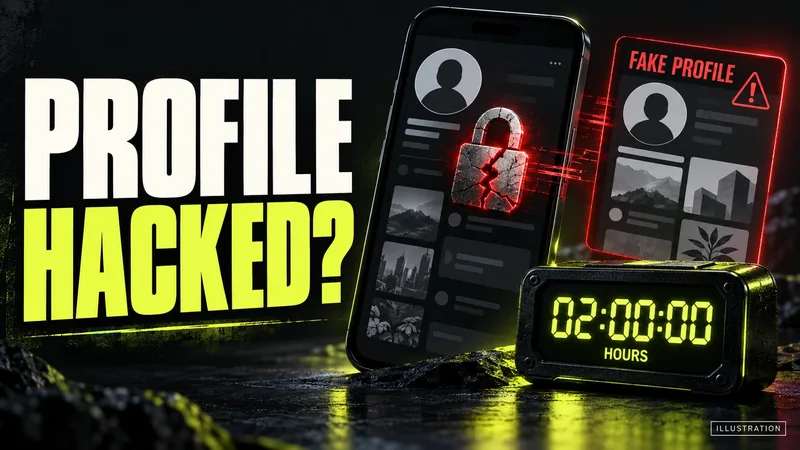
AI-generated editorial illustration by CyberShitty. Not a photograph or a document from the organisations named.
Locked out of Instagram or Facebook, or found a profile using your name and photos? How to get the account back, report the impostor, and use India's rule that platforms must act within 2 hours on impersonation complaints.
01 / The short answer
Locked out of Instagram or Facebook? Start on the platform's own recovery page: instagram.com/hacked or facebook.com/hacked. Facebook recommends using a phone or computer you have logged in from before. Found a profile using your name and photos? Save its link and screenshots, then report it from the profile as pretending to be you. Either way, call or SMS your friends and family now: anyone asking them for money in your name is not you.
Your friends trust messages from you. Tell them first.
Since 20 February 2026, India's IT Rules say a platform must act within 2 hours of your complaint about content that impersonates you or shows morphed or intimate images of you. That is a deadline to act, not a promise that the content will be gone. Section 05 explains what the rule covers and how to use it.
A fake profile can be built from photos you posted publicly, and a takeover can start with one message that looks official. Neither says anything about how careful you are. Money gone? Call 1930 now. Section 08 has the steps.
02 / Instagram hacked: get it back
These steps are from Instagram's Help Centre. Instagram says some may not be available for your type of account, and recommends trying them all.
- Check your email first. If an email from security@mail.instagram.com says your email address was changed, select Secure my account in that message to undo the change.
- Ask for a login link. On the login screen, tap Forgotten password?, enter your username, email address or phone number, and send the login link. No longer have that email or phone? Go to instagram.com/hacked and follow the steps on screen.
- Still stuck? Request support from a mobile device, and give a secure email address that only you can access.
- Prove it is you. For an account without photos of you, Instagram asks for the email address or phone number you signed up with and the type of device you used then. For an account with photos of you, it asks for a video selfie of you turning your head in different directions. Instagram says the video is never shown on Instagram and is deleted within 30 days.
- Once you are back in, or if you can still log in: change your password, turn on two-factor authentication, check that the phone number and email address in your settings are yours, remove any linked accounts you do not recognise in Accounts Centre, and revoke access for suspicious third-party apps.
Spot the next trick. Instagram says it will never contact you about account security through Direct messages. Its security emails go only to your email address, from a short list of Meta addresses. To help you spot phishing, Instagram lists the official emails it sent you in the last 14 days: in Accounts Centre, open Password and security, then Recent emails. If a recent 'verified badge' or 'account problem' email is not in that list, treat it as fake. Practise on a fictional example in our Scam Lab: the verified-badge lure.
03 / Facebook hacked: get it back
Facebook's Help Centre lists these signs that someone else has got into your account:
- your profile picture has changed;
- there are posts, comments or messages you did not write;
- you cannot log in, or your two-factor authentication method has stopped working;
- Facebook told you that someone is trying to log in, or has logged in, and it was not you;
- an email from Facebook says an email address or phone number was added or removed, or your password was changed, and you did not do it.
What to do. Go to facebook.com/hacked, if you can on a device you have used to log in to Facebook before. If your email address was changed, Facebook says it sends a message to the old address with a special link that reverses the change. If you can still get in, open Where you're logged in in your settings and log out any device or location you do not recognise. Lost access to the email address or phone number on the account as well? The same Help Centre page links to a separate recovery route for that.
04 / A fake profile of you: report it
How it is used. In December 2025, the Free Press Journal reported that duplicate accounts made with people's names and photos were messaging their friends and relatives for money, citing some urgency, and that many people paid before they found out. It said the Bhopal Cyber Crime Police had issued an advisory on spotting such profiles and getting them blocked. The police urged people not to send money on the strength of an online message alone, and to check by contacting the person directly.
Before you report, save the evidence: screenshots of the profile and of any messages it sent, and the profile's link (URL). The steps in the Bhopal police advisory, as reported, include keeping both. Ask friends who got messages to take screenshots too.
On Facebook, the Help Centre says: go to the fake profile, click Options below the cover photo, select Report profile and follow the prompts. A fake Page works the same way, with Report Page. You can also report an impostor in Messenger. No Facebook account, or locked out of yours? Facebook says you can still report one, through its contact form.
On Instagram, report the account from inside Instagram; if you do not have an account, Instagram's help page links a form. Give all the information asked for, which Instagram says includes a photo of your government-issued ID. Instagram says it only responds to reports from the person being impersonated or their representative, such as a parent, so if a friend is being impersonated, ask them to report it. The account you report is not told who reported it, Instagram says, except for intellectual property reports.
It can also be a crime. The government told Parliament in August 2025 that the IT Act covers identity theft (section 66C) and impersonation (section 66D). You can file a complaint on cybercrime.gov.in, which takes complaints about hacking and social media crimes (how to report).
05 / The 2-hour rule: what it says, and what it does not
Confirmed. The IT (Intermediary Guidelines and Digital Media Ethics Code) Amendment Rules, 2026 (G.S.R. 120(E)) were notified on 10 February 2026 and came into force on 20 February 2026. They changed rule 3(2)(b) of the IT Rules, 2021. It now says that within 2 hours of a complaint made by you, or by someone on your behalf, a platform must 'take all reasonable and practicable measures to remove or disable access' to content that:
- exposes your private area, or shows you in full or partial nudity or in a sexual act; or
- is 'in the nature of impersonation in an electronic form, including artificially morphed images' of you.
The deadline used to be 24 hours. MeitY's FAQ on the amendment says it was cut 'to enable rapid victim protection'.
The 2-hour deadline is for acting on your complaint, not a guarantee of removal.
What it does not say. The rule covers content that is 'prima facie' of these kinds, so the platform still makes a judgement, and its duty is to take reasonable and practicable measures. Getting a hacked account back is not one of the 2-hour categories.
The other clocks, as amended:
- the grievance officer must acknowledge a complaint within 24 hours and resolve it within 7 days (previously 15);
- a request to remove content in the categories platforms must tell users not to post, which include content that 'impersonates another person', must be resolved within 36 hours (previously 72);
- content removed after a grievance must be preserved, with its records, for 180 days for investigation, so a takedown should not mean the evidence is lost. Keep your own copies anyway.
How to start the clock. The rule ties the 2 hours to a complaint made through the platform's grievance mechanism, which every platform must set up to receive these complaints. We could not find Meta saying whether an in-app report counts. So, after reporting in the app, also use Meta's India grievance contact form, which both Facebook's and Instagram's India grievance pages link to, and which must be signed with an electronic signature. Name rule 3(2)(b), paste the link to the profile or post, and say that it impersonates you or shows morphed images of you.
06 / If the platform does not act: appeal to the GAC
If you disagree with the grievance officer's decision, or your complaint is not resolved within the deadline, you can appeal to the Grievance Appellate Committee (GAC) at gac.gov.in. The rules give you 30 days from the date you receive the grievance officer's reply. The GAC site says to appeal only after you have contacted the platform's grievance officer, and the whole process, from filing to decision, is online. The rules say the GAC 'shall make an endeavour' to decide an appeal within 30 calendar days.
The GAC deals with platform decisions, not crimes. Its site says it does not handle financial fraud or cybercrime cases, and points those to 1930 and cybercrime.gov.in. If someone is impersonating you to get money, or threatening you, run both tracks: the platform complaint to get the content down, and the police complaint for the crime.
07 / What we confirmed, and what we could not
Confirmed (official sources): the 2-hour, 7-day and 36-hour timelines and their dates (the Amendment Rules, G.S.R. 120(E), and MeitY's FAQ, both dated 10 February 2026); the wording of rule 3(2)(b), the 180-day preservation duty and the GAC appeal (the IT Rules, 2021, as published by MeitY); the GAC's process and its exclusion of financial fraud and cybercrime (gac.gov.in); sections 66C and 66D (PIB, 8 August 2025); the portal's scope (cybercrime.gov.in FAQ); the recovery and reporting steps and the India grievance form (Instagram's and Facebook's Help Centres, read on 3 October 2026). Reported (media): the Bhopal police advisory on fake profiles asking friends for money (Free Press Journal, 3 December 2025); an explainer on the 2-hour window that matches the rule text (Outlook India, 7 August 2026). Claimed (by scammers): that a fake profile is you, that you urgently need money, or that a 'verified badge' or account warning is waiting for you. Not available: whether Meta treats an in-app impersonation report as a rule 3(2)(b) complaint that starts the 2-hour clock; any official figure on how often platforms meet the 2-hour deadline; a national count of fake-profile cases.
08 / Hacked, faked, or money gone? What to do now
- Money has gone, from you or from a friend who trusted the fake profile or your hacked account: call 1930 now, then the bank on its official number, then complete the complaint on cybercrime.gov.in. Our lost-money checklist and UPI fraud guide cover the first hour.
- Account hacked or fake profile, no money lost: follow sections 02 to 05, then report it on cybercrime.gov.in, which takes complaints about hacking and social media crimes (how to report). Keep the acknowledgement number.
- Morphed or intimate images of you, or someone threatening to share them: do not pay. Complain to the platform under the 2-hour rule, and follow our sextortion guide on reporting and getting content taken down.
- A fake video of you, or of a well-known person, selling an investment: see how to spot deepfake investment ads and AI voice-clone and deepfake scams.
- Your WhatsApp is acting up too: check linked devices and get it back.
- The police will not register your complaint: what you can do.
- Ignore anyone who offers to 'recover' your account or money for a fee: what recovery really looks like.
Source log / 2026-1003-QZ
- MeitY — IT (Intermediary Guidelines and Digital Media Ethics Code) Amendment Rules, 2026, G.S.R. 120(E), Gazette of India (10 Feb 2026; in force 20 Feb 2026) Primary
- MeitY — Frequently Asked Questions on the IT (Intermediary Guidelines and Digital Media Ethics Code) Amendment Rules, 2026 (10 Feb 2026) Primary
- MeitY — IT (Intermediary Guidelines and Digital Media Ethics Code) Rules, 2021, updated to 6 Apr 2023 Primary
- Grievance Appellate Committee (MeitY) — gac.gov.in, appeal process and scope Primary
- PIB (MeitY) — India well-equipped to tackle evolving online harms and cyber crimes, including deepfakes (8 Aug 2025) Primary
- Instagram Help Centre — If you think that your Instagram profile has been hacked, accessed 3 Oct 2026 Primary
- Instagram Help Centre — Review recent emails sent from Instagram, accessed 3 Oct 2026 Primary
- Instagram Help Centre — Report an account that's impersonating you on Instagram, accessed 3 Oct 2026 Primary
- Instagram Help Centre — How to contact the Grievance Officer and Meta in India, accessed 3 Oct 2026 Primary
- Facebook Help Centre — Recover a hacked account, accessed 3 Oct 2026 Primary
- Facebook Help Centre — Report a Facebook profile or Page pretending to be you or someone else, accessed 3 Oct 2026 Primary
- Facebook Help Centre — Contact the Grievance Officer and Facebook in India, accessed 3 Oct 2026 Primary
- National Cyber Crime Reporting Portal (MHA) — FAQ Primary
- Free Press Journal — Bhopal News: Scammers creating fake Facebook profiles to dupe people (3 Dec 2025) Secondary
- Outlook India — Centre cuts sensitive content takedown window to 2 hours: all you need to know (7 Aug 2026) Secondary